
Exploring the New Timberline Resident Portal for Enhanced Community Living
Living in a community means staying connected, informed, and having easy access to services that make daily life smoother. Timberline Estates understands this well and has introduced a new online portal designed specifically for residents. This portal aims to simplify communication, speed up requests, and bring neighbors closer together. Here’s a detailed guide on how to use the Timberline Resident Portal and what benefits it offers to enhance your experience living in this community.
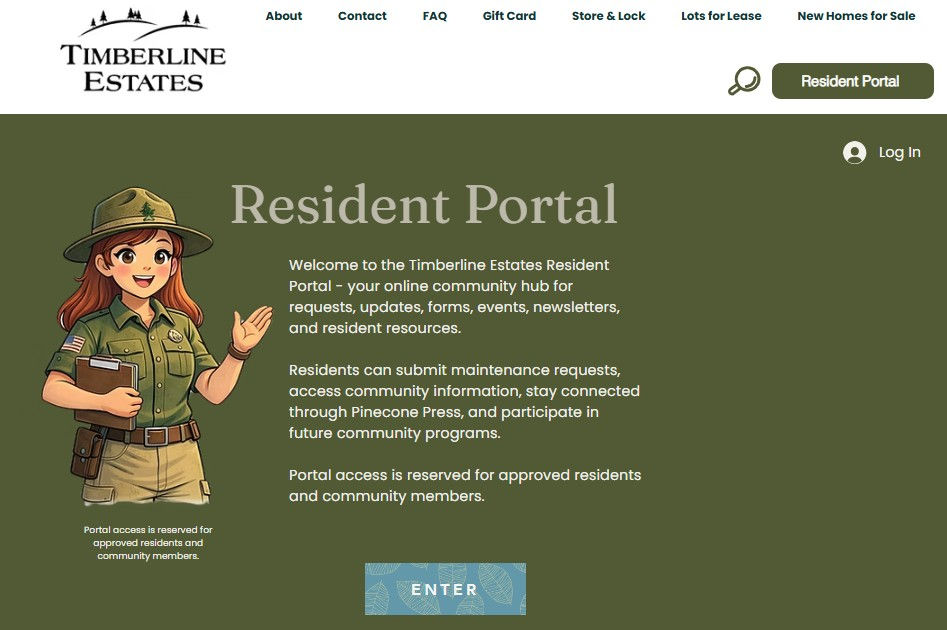
How to Access the Resident Portal
Getting started with the Timberline Resident Portal is straightforward. Follow these steps to sign in or create your account:
Step 1 — Go to the Sign In Page
Visit the Timberline Resident Sign In page. This is the gateway to all the features the portal offers.
Step 2 — Sign In or Create Your Account
If your email is already registered with the office:
- Click Sign In
- Enter your email and password
If this is your first time using the portal:
- Click Sign Up
- Use the same email address you provided to the office
- Follow the instructions to create your password
This process ensures that only current, approved residents can access the portal, keeping the community secure.

Step 3 — Access the Resident Portal
Once signed in, visit the My Timberline Resident Portal page. Bookmark this page on your phone or computer for quick access anytime you need it.
What You Can Do Inside the Portal
The Timberline Resident Portal offers a variety of tools and resources designed to make community living easier and more enjoyable. Here are some of the key features:
Submit maintenance requests
Report any issues in your home or common areas quickly and track the progress of repairs.
Report community concerns
Share concerns about safety, noise, or other community matters directly with management.
Access resident forms
Download and submit important documents without having to visit the office.
Stay updated on community announcements
Receive timely news about events, policy changes, or important notices.
View helpful links and resources
Find information about local services, utilities, and community programs.
Access amenities information
Check availability, rules, and schedules for shared spaces like the clubhouse, pool, or gym.
Participate in community programs and events
Sign up for activities and stay involved in neighborhood gatherings.
Stay connected with Timberline Estates
Engage with neighbors and management through the portal’s communication tools.
The portal will continue to grow with new features added over time, making it an increasingly valuable tool for residents.

Important Notes About Using the Portal
Before diving in, keep these points in mind:
Your email address must already be registered with the office before access is approved. If you haven’t registered your email, contact the office first.
Access is limited to current approved residents only. This helps maintain privacy and security within the community.
The portal is brand new and will continue to improve. Some features may still be in development or undergoing updates.
If you encounter any issues or something isn’t working as expected, please be patient. The team is actively working to enhance the system.
Need Help?
If you have trouble signing in or accessing the portal, the office staff is ready to assist you. Don’t hesitate to reach out for support to ensure you can take full advantage of the portal’s benefits.
Bringing the Community Closer
The Timberline Resident Portal is more than just a website. It’s a digital space where residents can feel more connected and supported. By simplifying communication and providing easy access to services, the portal helps build a stronger, more engaged community. Whether you need to report a maintenance issue, stay informed about upcoming events, or connect with neighbors, this portal puts everything at your fingertips.


Comments